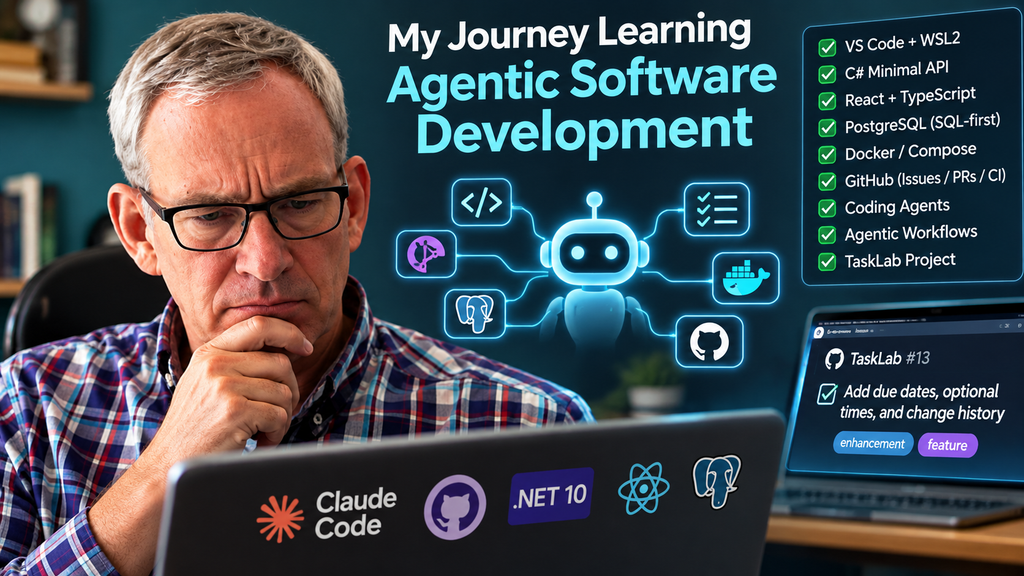
It looks like Agentic Software Development is here, and it’s not going anywhere!
It’s certainly arrived with lightning speed. Less than a year ago its utility for complex commercial software applications (beyond being a better Stack Overflow or autocomplete) was dubious. As of today, it’s become entirely capable.
In this post I’ll discuss my journey learning agentic software development. If you have not done so already, perhaps this post will inspire you to do so and act as a roadmap.
Early Days
As was no doubt the case for you, I too was an early adopter of LLMs. I signed up for ChatGPT almost as soon as it was launched publicly, and used it for more normal stuff.
Then, on Jan 1, 2024, while organizing some photos, I asked ChatGPT to write me a PowerShell script (who ever can remember that annoying close-but-not-quite sh syntax and all those dash-laden CaMel CaSe commands?). The program was to rename some files a certain way. I kept my prompt deliberately a bit misleading and vague to test it:
write a powershell script that renames files of the form penny01.jpg to penny001.jpgThis is what it spat out:
# Define the path where the files are located
$FolderPath = "C:\Path\To\Your\Files"

# Get all jpg files in the folder with the pattern 'pennyXX.jpg'
$Files = Get-ChildItem -Path $FolderPath -Filter "penny??.jpg"

foreach ($File in $Files) {
    # Extract the number part from the file name
    $NumberPart = $File.Name -replace "[^\d]"

    # Format the number with three digits
    $NewNumberPart = "{0:D3}" -f [int]$NumberPart

    # Construct the new file name
    $NewFileName = "penny" + $NewNumberPart + ".jpg"

    # Construct the full path for the new file
    $NewFilePath = Join-Path -Path $FolderPath -ChildPath $NewFileName

    # Rename the file
    Rename-Item -Path $File.FullName -NewName $NewFilePath
}

Write-Host "Renaming complete."
Well, you could have knocked me over with a feather! That was a pretty darned good effort out of the box.
Since then, I’ve been loosely following along with all the progress in models for coding and coding harnesses, but from my armchair and a YouTube screen. I was retired, after all.
Fast forward to 2026. My son joined a small company that was moving 100% to Agentic. He is a former small-company CTO who retired off his unrelated crypto earnings and had been off work for the past several years focusing on his family. Once my granddaughter was old enough for full-day school, he decided to re-enter the workforce, re-tooled with Agentic, and got several offers out of the gate. Good timing! So, naturally, I was following his progress with great interest. What he was describing was blowing my mind.
I had a choice to make. Was I going to stay in my grandad armchair, or was I going to bust out the big old Alienware desktop that had been gathering dust?

Ugggh… the learning curve seemed steep, and I was retired, after all.
But I spent my entire life programming computers. Was I to remain ignorant of this seismic shift? No way!
Up The Learning Curve
My problem was that it had been a while since I had really coded something semi-serious myself. Like, 15 years or so!
Of course, as a CTO I had exercised “hello world” against every tech stack out there. I always said, as a manager, that 1 hour doing a hello world with some tech puts you into the 99th percentile of people who speak about that tech! But I knew that to learn agentic I needed a somewhat complex, modern, 3-tiered app with all the testing, staging, and production deployment that I would expect as a CTO.
I broke out ChatGPT and said,
I’m a retired coder. My main professional languages were C, C++, Perl, C#, Java. I have my big Alienware desktop. Just as a matter of general education, I’d like to use agentic AI coding to build something using source code control, ticketing, and a nice graphical development environment. What tech stack would you suggest?We evolved that conversation, chatting back and forth about the technical stack and my goals. Together, we created the initial prompt for a ChatGPT Project we called “Agentic Software Lab” that can hold many related chats.
I am a retired experienced software developer learning contemporary agentic software engineering. Treat me primarily as the architect, technical lead, and reviewer rather than as a novice programmer. Explain modern practices where useful, challenge questionable design decisions, and prefer simple, conventional engineering over unnecessary complexity.

The goal is to learn modern development through a real project using Git, GitHub, issues/ticketing, pull requests, CI, automated testing, a graphical IDE, and agentic coding tools. Favor a stack based on C#/.NET, React/TypeScript, PostgreSQL, Docker, GitHub Projects, and GitHub Actions unless there is a substantive reason to deviate.

When using AI coding agents, help me write precise issues/specifications, review their implementation choices, identify architectural problems, and distinguish between code that merely works and code that is well engineered.
The learning project with ChatGPT lasted about a month and involved 62 discrete chats. We started by nailing down all the details of my technology stack, including my development environment, unit testing approach, integration testing, deployment to staging, and promotion to production.
We decided on a relatively simple 3-tiered app (TaskLab: multi-tenant to-do lists with deadlines).
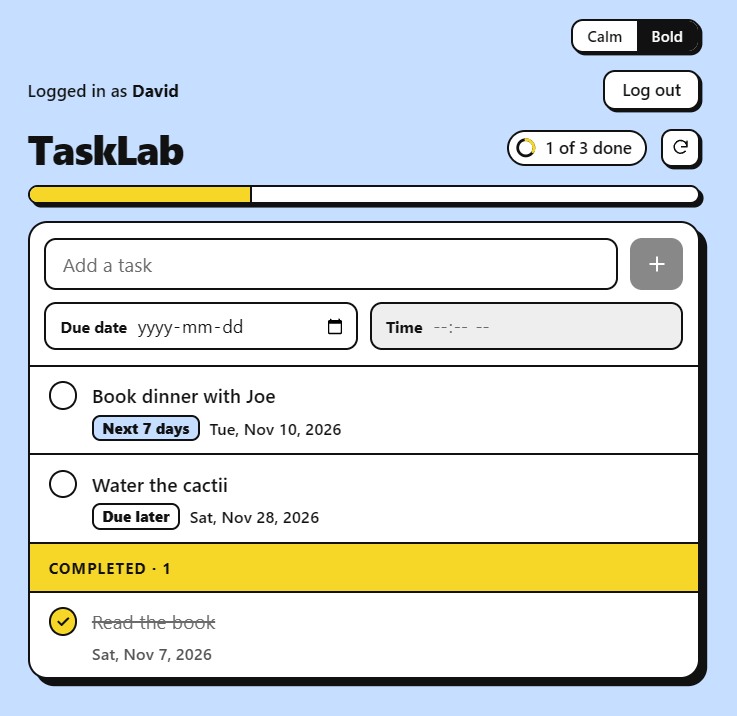
The minimal tech stack for my purposes was already quite daunting!
- The database backend would be Postgres 18 running in a container.
- Keeping it simple here
- I would interface to it directly rather than by ORM (Object-Relational Mapping)
- I’m not fond of ORMs – had a bad experience at one of my companies.
- As I see it, the main reason for an ORM is to save on typing and maintaining consistency, but in the world of AI, typing and consistency is not the issue: the machine does this for you. Keeping straightforward SQL allows for greater clarity, less obtuse tech, straightforward and direct schema design, and allows for easy optimizations when and if needed.
- The REST API would be written in C# against the ASP.NET Core Minimal API framework.
- I came to appreciate C# around 2010 when I did a fairly big work project using it. C# is no longer “Windows first”. The Linux support is on par now.
- The minimal framework is relatively new, introduced in 2021 and expanded significantly since. It has none of the more arcane nonsense present in the older ASP.NET MVC framework. The new one is quite straightforward while supporting what you need (including dependency injection to ease unit testing)
- The browser frontend would be written in React with TypeScript using Vite for dev and build.
- React is still a popular front-end choice. TypeScript adds the type checking missing from JavaScript. Vite provides the build system that compiles TS into JS and also acts as a web server during dev that can live re-build and re-load as you make changes to source files. Vite does not appear in production.
- Unit tests would be xUnit + ASP.NET Core integration testing and Playwright for frontend testing
- xUnit integrates well with .NET and VS Code, allowing me to run and debug all tests from the IDE.
- Playwright is used to drive the browser tests (and to record video as feedback to the AI on UI/UX).
- My dev environment would be Ubuntu via WSL2 (Windows Subsystem for Linux v.2). Dev frontend would be the Chromium browser.
- I’m a UNIX guy from way back and prefer all the UNIX tools available via bash.
- WSL2 is a lightweight virtual machine running on Windows that can host an up-to-date Ubuntu distro.
- My dev IDE would be VS Code running natively on Windows connecting down into WSL2.
- The biggest problem with WSL2 is the X11 implementation on Windows. In short, it sucks. So I’d run my IDE in Windows. It has a connector that does all the backend stuff in WSL2.
- My Agentic LLM would be Claude Code Opus 5.5 running the native Windows desktop client connecting down into WSL2.
- Opus 5.5, at the time of writing, is the current clear leader, according to my son, both for model and harness.
- And I wanted a different LLM from my ChatGPT “teaching LLM”.
- Don’t worry, ChatGPT was very complimentary of Claude Code. 😊
- I’d use Git locally in WSL2 pushing up to GitHub in the cloud.
- I wanted to mimic the workflow of a commercial software dev shop.
- The CI (Continuous Integration) would be via GitHub Actions. I’d supply the Docker Compose files to build and run the tests using containers built and run in the GitHub Action runners.
- Again, mimicking the workings of a commercial software org.
- Staging would be an Ubuntu VM running on my Windows machine via Hyper-V. It would run 2 containers: one for the db and one for the API and serving the front end via the ASP.NET bundled Kestrel web server. Deployment would happen via a bash script tied into a VS Code task.
- Target could just as easily have been a cloud server, but this was cheaper, more convenient, and no different.
- The preparation of the “base layer” Ubuntu is fairly minimal. No build or run tools required. It would simply host two containers that I build in WSL2
- Again, having a staging machine mimics how I would organize things in a real commercial dev shop.
- Production would be the same as Staging, only served over https using Caddy as the proxy. Promotion of staging to Production would also happen via a bash script tied into a VS Code task.
- The goal was to deploy to production the exact same App container that runs in staging.
- Again, mimicking how a commercial dev shop would do it.
The decisions re. this tech stack took place over many back and forths with ChatGPT, and not everything was laid out up-front, with some details evolving as we went.
As a former CTO with lots of commercial dev experience, I felt very comfortable designing this tech stack, and comfortable that both the webapp and the tech stack contained sufficient complexity that I could exercise Agentic Dev to a sufficient degree for my needs.
However, having not done any real dev in years, I would be exercising some muscles I had not exercised in years. Plus, there were many things, both big and small, that I would have to learn to be able to execute this project.
In the olden days, I would have read books on all this stuff and practiced in my dev environment to refresh myself. With all that tech, it would have been daunting, to say the least.
But, we live in the age of AI now, and one thing AI is absolutely fantastic at is being your personal tutor, at least for intellectual topics, and particularly computer-related topics.
My AI Tutor
My plan was therefore to get ChatGPT to assist.
Build up a list of things I need to install to get going in a logical order. For each thing I want to take some time to understand it and do some hello world type thing with it.Yes. I would make the installation sequence itself part of the curriculum. In particular, I would not install Docker, PostgreSQL, React, Copilot/Codex, etc. immediately. We should add one layer at a time and understand what problem each layer solves.
Given the architecture we settled on—Windows 11 host, VS Code on Windows, development inside WSL2 Ubuntu, C#/.NET backend, React/TypeScript frontend, PostgreSQL, Docker, GitHub, and eventually an Ubuntu Server production VM—this is the sequence I recommend:It then gave me a numbered 18 point plan as follows (each item had additional detail I’m eliding here for all but the first so you get an idea).
- WSL2 + Ubuntu — our development computer
You already have this, so this is mostly a verification/understanding exercise rather than an installation.
Learn: what WSL2 actually is, its VM architecture, Linux filesystem vs /mnt/c, processes, networking, apt, users/groups, permissions, environment variables, and systemd.
Mini-lab: create something like ~/src/agentic-lab, write a tiny Bash script, make it executable, run it, inspect its process and files. We should also establish that all project source lives under the Linux filesystem, not under C:\. Microsoft explicitly recommends WSL as a complete Linux development environment and documents this VS Code/WSL arrangement.
Exit criterion: you can explain which things are Windows processes and which things are Linux processes. - Git inside Ubuntu — source control before coding
- VS Code on Windows + WSL extension — graphical IDE over the Linux environment
- GitHub + GitHub CLI (gh) — take Git remote
- .NET 10 SDK inside WSL — our primary programming runtime/toolchain
- VS Code C# tooling — IDE/debugger integration
- ASP.NET Core — Hello World becomes a server
- Node.js + npm using a version manager — the JavaScript build environment
- TypeScript + React + Vite — Hello World in a browser
- Connect React to ASP.NET — first genuinely full-stack program
- Docker Engine + Docker Compose inside the development Ubuntu environment
- PostgreSQL — but run the server in Docker
- Npgsql — connect C# to PostgreSQL
- GitHub Issues, Projects and Pull Requests — introduce the engineering workflow
- GitHub Actions — CI
- Hyper-V Ubuntu Server VM — local production
- Automated deployment, backups, observability, etc.
- AI coding agents — only now
Number 18 eventually evolved into a whole new sub-plan with its own set of learning modules and topics.
I made one mistake that caused me annoyance. I left the plan in one chat within the Project and then created new chats for each topic. I fixed it for the follow-on agentic learning plan.
A chat per topic is definitely the right move, as otherwise the context window fills up with too much unrelated stuff and things important to the current topic get “lost in the middle” (a well-studied LLM weakness).
The problem was that after a while, it kept forgetting the original chat with the learning plan steps and I had to constantly remind it.
The way I fixed it for the agentic plan was to have it create a markdown document with the whole learning plan. I then uploaded that plan as a Project Resource.
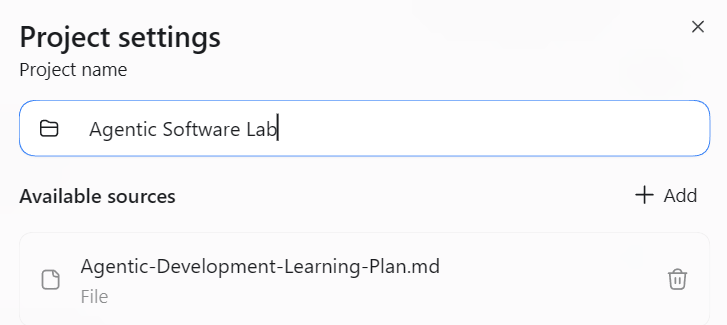
I then referred to this document in the Project Instructions that get loaded into the context for each chat within the scope of the Project.

The purpose of this project is to train the human on how to build web apps using modern agentic AI practices. The human is a Ph.D. in computer science in languages, compilers, software engineering. He was also a professional developer for many years, and then became a manager and an executive, so fell out of touch with the latest technology. He is now retired and wishes to understand agentic programming by writing a web application with the assistance of AI agents.

The tech stack will be Git, GitHub, WSL2 Ubuntu, VS Code on Windows, C#, PostgreSQL, TypeScript, React. The eventual app will run in an Ubuntu Hyper-V VM running on the Windows 11 desktop. Containers may be used. The human needs a refresh on all of this.

The human likes to understand concepts at a deep level, so don’t just gloss over anything.

The user works in WSL. The files are mirrored in a read-only fashion at C:\Users\dpenny\WSLBackup\ Treat the entire mirror as read-only: inspect files, but never edit, rename, move, or delete them. David makes changes in the working repository at ~/src/TaskLab in WSL.

As of Nov 5, 2026, the human has learned all the tech concepts regarding the app and has built a 3-tiered web app called TaskLab accessible via the mirror and GitHub. We have moved on to now focus on learning how to do cutting-edge agentic software development using Claude Code. A learning plan was uploaded as a Project source file called “Agentic-Development-Learning-Plan.md” which we will work through.

We will work through the learning plan one topic at a time, one chat thread per topic. End each topic with a prompt recommendation I can paste into a new chat to continue with the next topic.

The human prefers using the Windows Claude Code desktop client connecting into WSL2, but can also use the CLI directly in WSL.
(I referred to myself as “the human” 😊)
I found at one point that I needed to tell it a bit more about myself and keep that fresh in its context, hence the biographical details. After I added that it started pitching things at a much better level and didn’t waste my time explaining basic concepts. I also added the instruction about going deep which also improved things. By default it better explained concepts and set us up for a much deeper chat that some might call a tangent…
Also, I learned that after wrapping up a topic I should ask it for a prompt to start a chat on the next topic. It essentially summarized work-to-date so the new chat had the starting context it needed to move on.
All in all, there were about 60 or so chats, one of the longer ones being 6500 words long, or about 25 textbook pages. So all together that’s probably like an 800 page textbook I worked through! But this “textbook” covered exactly what I wanted it to, was pitched exactly right to me, had practical goal-driven exercises throughout, and allowed for back and forth conversation and deeper dives wherever I wanted.
As I said above, AI is a fantastic learning resource when used like this.
I alternated between working with ChatGPT on my Windows desktop and on my iPad. When in Windows the chats had access to a read-only copy of the examples we were working on so it could check my work and better carry on with the next thing in case I deviated from its instructions (which I often did). I eventually learned how to set things up so my iPad could remote into a session in my desktop and continue on with the same access.
The mirror proved necessary as ChatGPT simply could not be made to read my Ubuntu file system from its Windows desktop client. (Seemed to be a bug, as it was advertised to work, but didn’t work as advertised, and there were other reports extant at the time of the same issue). I had the mirror setup anyways for backups because my Macrium backup software had exactly the same problem.
The mirror turned out to be useful for another reason. I didn’t want to give ChatGPT write access to anything. I wanted to be the one to either type or cut and paste the things it suggested to enhance my learning engagement.
When I later deployed Claude Code, the Windows desktop client cooperated much better with WSL2 Ubuntu. It seemed to be a much better supported thing in Claude Code as at the time of writing. And for Claude Code I did want it to go in there and write stuff for me, which was the whole point of the exercise.
As I progressed through the original learning plan, we gravitated to the initial revision of the TaskLab webapp.
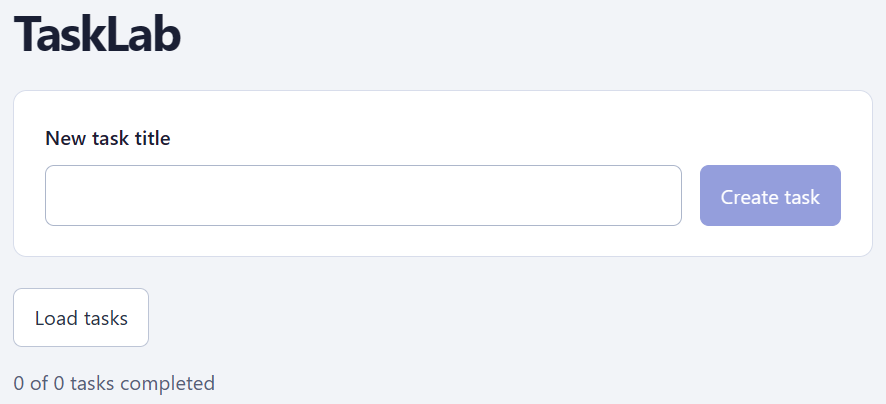
It was very patient with me as we set everything up from scratch and gradually built up the application. I was careful never to type or cut & paste anything I didn’t fully and deeply understand. I often had to go back and ask things like, “what is this === syntax?” (it’s JavaScript strict equality that doesn’t perform type coercion, fyi). But many more and deeper questions than this. I made it a point never to let anything I didn’t understand slip by during my learning phase.
We started with installing the C#.NET stuff into WSL and hooking up the Windows VS Code to work with it. Slow step by slow step, the AI coaching and answering my questions as we went.
We went through a whole git and github refresher with exercises.
We built the first web app which served up a trivial TaskLab React API, getting the tasks from an “InMemoryTaskRepository” so we could put off Postgres and containers until later. My AI tutor was very thoughtful about ordering of topics and pre-requisites.
We went on and on like this until I had a fully developed TaskLab webapp all written by hand. With full debug support across C# and React, Postgres in a container, full unit tests, git and github, CI in github, staging and prod VMs, and deployment scripts.
We ended the initial plan with all of that in place.
First Foray into Agentic
The final stage of the initial learning plan was to learn Claude Code. I purchased the Claude Pro plan at $24/month. It had everything I needed. The higher plans would only add more usage. I then installed Claude Code onto WSL, Windows native, and iPad.
The native interface for Claude Code is the “TUI” (Terminal User Interface – we used to call it a “curses” program back in the day).
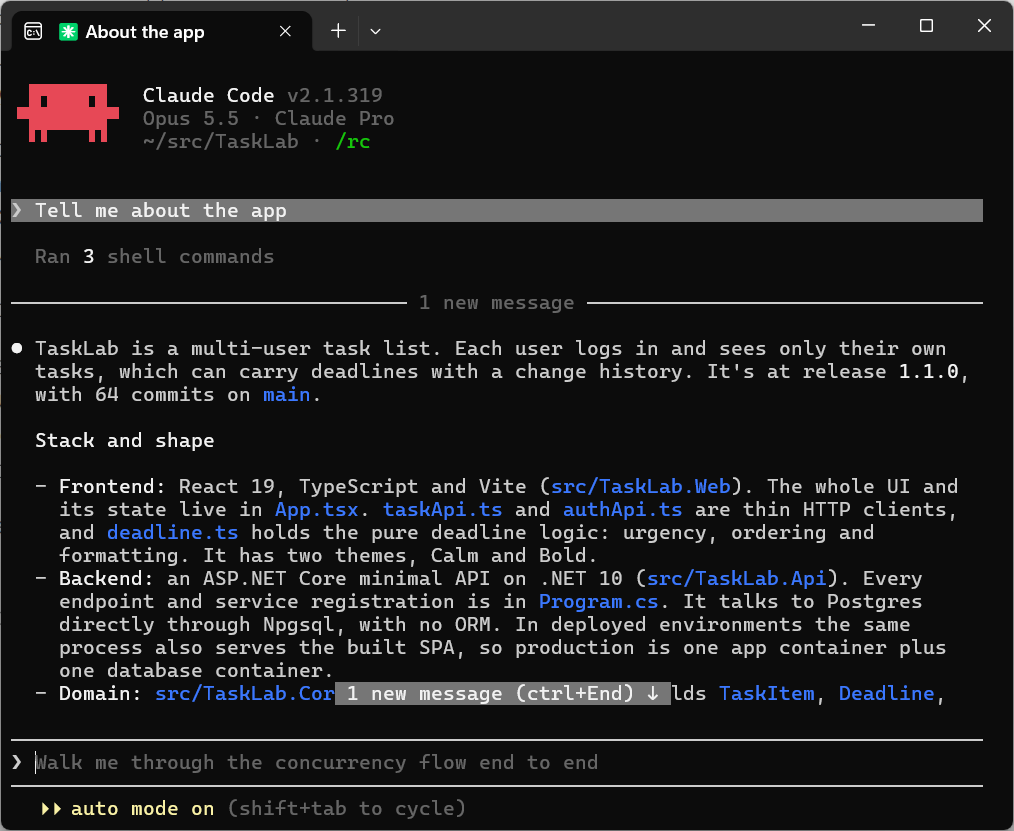
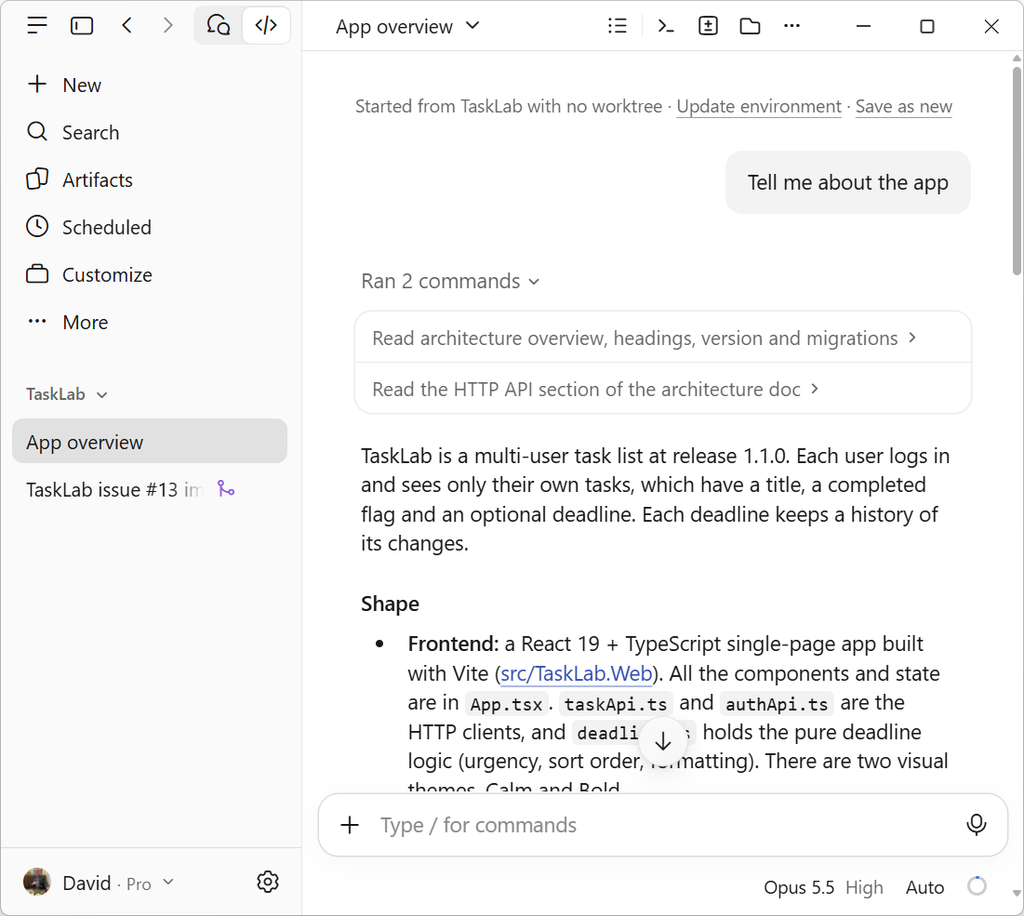
You can see echoes of the TUI in all the other “surfaces” of Claude Code such as the Windows Native UI:
or the iPad UI:
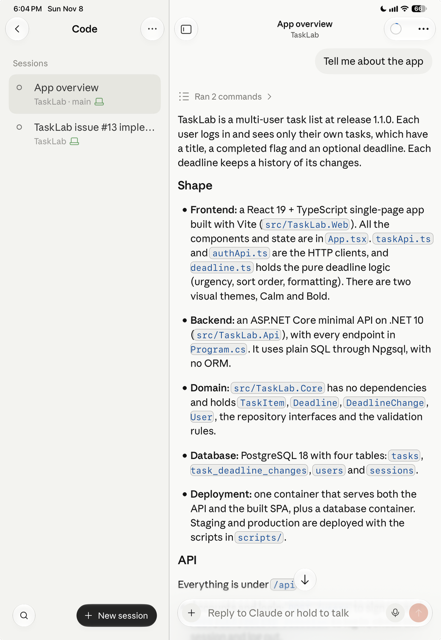
So long as the TUI was up and running in WSL in remote control mode I could initiate new sessions for TaskLab directly from my iPad.
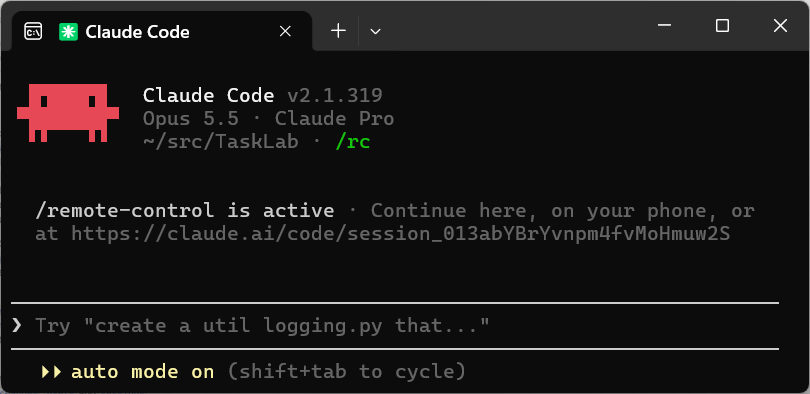
Beyond that, if /rc is set for any chat (which I turned on by default), that chat can be continued on the iPad.
First Feature
The first thing I wanted to do was to improve the UI/UX from the bare bones framework default.
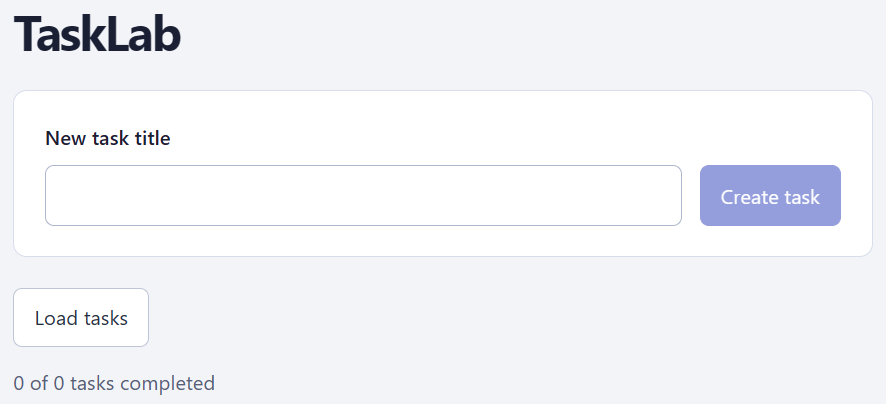
I’m not great at graphics design, and despise writing css with an unbridled passion. A perfect task for Claude!
I asked Claude to propose for me various designs. It came up with four suggestions. I liked 2 very different ones, so asked it to do both with a chooser that the browser remembers. For the “calm” one, I thought the background needed some subtle livening up, so it proposed several such background designs I could choose between.
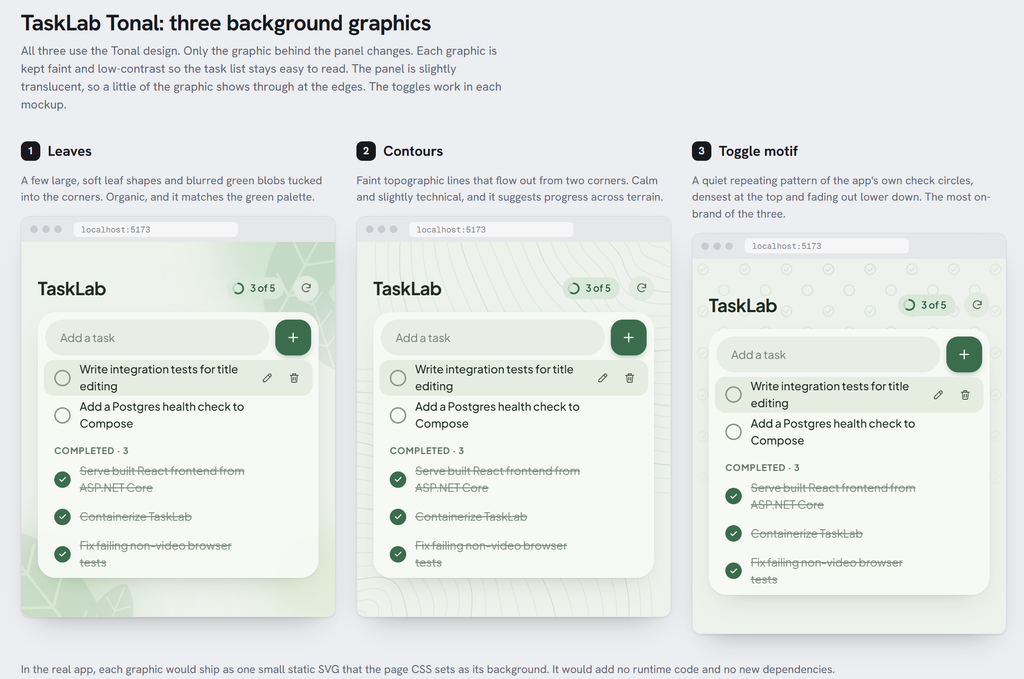
I chose the leafy one. It went ahead and wrote all the theme switching logic and implemented the css for both themes. That’s 1600 lines of obtuse css it spat out with me doing nada! It even encoded the leafy background SVG (Scalable Vector Graphics).
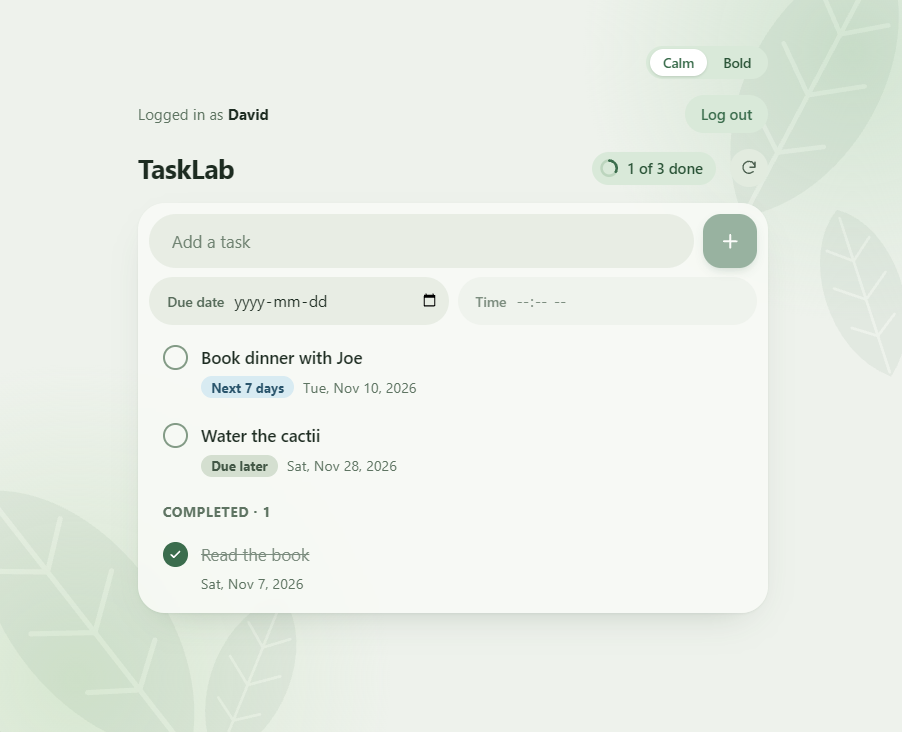
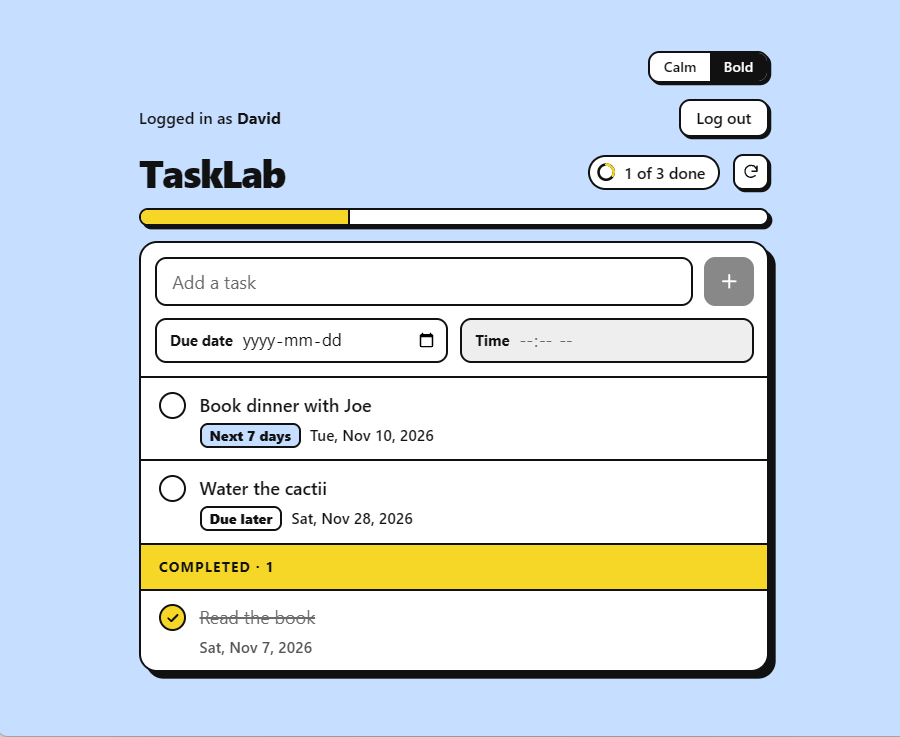
This took almost no time at all for it to do all this.
So far, Claude was a Godsend!
Second Feature
The next thing I did was to add database migration to TaskLab. I knew that the next few features would need to evolve the database, and I wanted to design this up-front. I started by using ChatGPT to write out a GitHub issue for me.
To streamline Claude appropriately, the specs have to go beyond what a human coder would require. I find that level of detail tiresome, so naturally I asked an AI to assist me in coming up with the detailed feature definition. I went back and forth with ChatGPT several times. I then uploaded it to GitHub myself with a copy/paste and edited it by hand a tad.
Goal
Automatically create the TaskLab schema in a fresh database and upgrade an existing schema when deploying a newer application version, preserving existing data.
Design discussion first
Inspect the repository and propose a design before changing code. Discuss:
- Applying migrations during application startup versus running a separate deployment command. Startup migration is the current preference for TaskLab’s simplicity.
- Migration library versus a small custom runner, retaining explicit SQL and no ORM.
- Transaction boundaries, failure recovery, and coordination of concurrent migration attempts.
- Database permissions and compatibility with application instances that may already be running.
- The existing database running in docker is dev only; it can be nuked
- There is as of yet no staging or production deploy. Eventually there will be
Recommend an approach and a small sequence of implementation steps for review.
Required behavior
- Support both fresh schema creation and upgrades without deleting existing data.
- Track applied migrations by schema version number. Previously applied scripts must never be edited; this is a documented convention, not something the code checks.
- Repeated execution against an up-to-date database makes no schema changes.
- Migration failure prevents the application from accepting normal requests and produces useful diagnostics.
/api/healthreports healthy only when database connectivity and the expected migration history are verified. Health checks must never apply migrations.- Preserve support for the in-memory repository used by tests.
- Work with local development and Docker Compose.
Verification
Demonstrate fresh installation, upgrade with data preserved, repeated execution, migration failure and retry, concurrent migration attempts, and schema-aware health behavior.
Scope
PostgreSQL server and database provisioning remain separate.
This theme of using AI to direct AI is pervasive. Later on I would progress to installing GitHub connectors so the AI tools can directly interface with GitHub.
The next thing was then to point Claude Code at it.
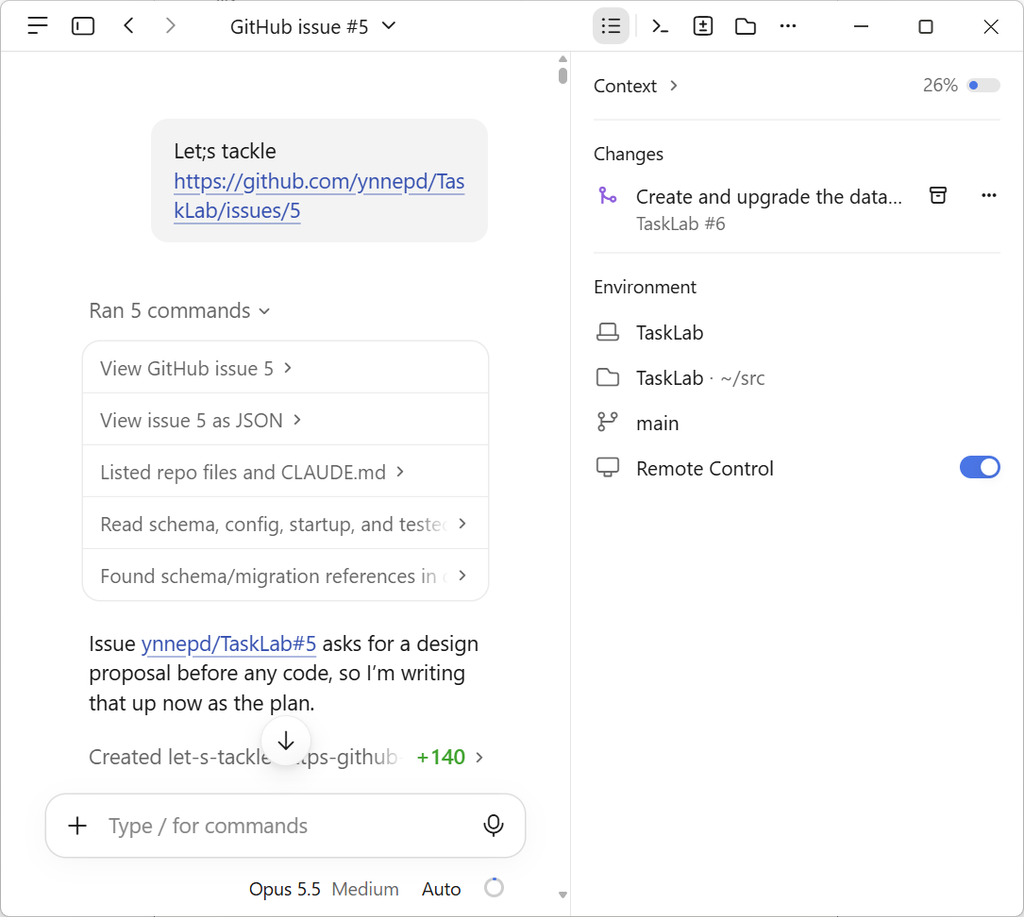
It came up with the following plan.
Issue #5 — Automatic schema creation and migration
Context
Today database/001-create-tasks.sql is applied by hand: psql in CI, a manual step locally, and PostgresTaskApiTests.InitializeAsync in the integration tests. Nothing records which scripts have run, so there’s no safe way to upgrade a database when a newer version ships. The issue wants the app to create or upgrade its own schema at startup, keep existing data, track and verify applied scripts, refuse to serve if migration fails, and have /api/health check the schema without ever changing it. The issue asks for a design proposal first. This plan is that proposal, followed by the implementation steps.
Design decisions (recommendations)
1. Migrate at startup, not as a separate command. This matches the stated preference. Program.cs runs the migrator after builder.Build() and before app.Run(). If it throws, the process exits non-zero before Kestrel starts listening, so no request is ever served against a bad schema. This also works under WebApplicationFactory, which runs the top-level code up to Run(). Later, a --migrate-only switch could reuse the same runner as a deploy step without a redesign. It’s not needed now.
2. A small custom runner (~150 lines), not DbUp, Evolve or grate. We only need ordered plain-SQL files, a history table with checksums, an advisory lock and a transaction per script. A library adds a dependency and its own conventions (journal table layout, script discovery, logging), and TaskLab would use only a little of it. A custom runner keeps the SQL explicit, involves no ORM, and is easy to read for a learning project. This trade-off can be revisited if needs grow, for example with repeatable scripts or rollbacks.
(… and so on …)
I had some comments on its plan, and it revised the plan accordingly. When I was ready, I switched it to “Auto” permission mode (where an AI looks over the shoulder of the AI and decides what it can execute without asking, what it must ask permission for, or what it must deny) and asked it to implement its plan.
For this task I was on Opus 5.5 model at Medium, without dynamic workflows or supercode toggled on (more on those later). Therefore it more or less “single-threaded” the implementation with a single agent launching and waiting for commands, and then reacting based on what came back.
It coded the feature, added the tests, tested it all, and updated the architecture doc. You could see it failing tests and then fixing either the code or the tests.
Once it was done, it asked me to review it. As I had told it to operate in my git main repo, I just fired up my VS Code as usual and was able to run the code, run the unit tests, and inspect the modified code and docs.
I didn’t quite approve yet. I was wondering how we were going to handle breaking database changes (e.g., changes that would remove something an earlier version of the app relied upon). We iterated on the idea and came up with a SQL comment on line 1 of every migration script. E.g.,
-- breaks-before: 002If the older app code expected version 1 of the schema, it would not fire up due to this “breaks-before” machine-readable comment.
I asked it to add the concept and modify the code, docs, and tests accordingly.
This stuff is relatively tough to unit test, but Claude added in a whole set of unit tests regardless. I wouldn’t have bothered if it was me coding it, but Claude needs the extra guidance and support and it takes no time for it, so it’s all good.
That was my first real Claude-Coded feature, and it was just fine. It did the code differently than I might have, but I sort of liked its approach better.
It inserted all the SQL migration files into its compiled .dll and read them all from there during startup. After all that, it then looked at the version the schema was at and decided if it needed to stop if it was too old an app version, or apply any upgrades. I would have just hardcoded an expected version in the app, compared that to the version stored in the db, and read them from the file system as needed.
Maybe its approach represents a consensus of best practice? (If it ever gets too slow reading them all at startup, there’s easy fixes for that.)
It asked me if it could create a git and GitHub feature branch and create a pull request for me. I approved that and it did so. I then manually merged the branch into main after I had confirmed CI was green.
I asked Claude afterwards how long it took.
About 1 hour 49 minutes.

Thread created: 2 Nov 2026, 09:00:17 local time (−05:00), according to the session transcript’s first entry.

Pushed: 10:49:07 local time, when git push -u origin schema-migrations ran. The commit 0866ab8 is stamped 10:48:55, and GitHub records the PR as created at 10:49:12.

That’s 1 h 48 m 50 s from the first message to the push. It’s wall-clock time, so it includes your reading and reply time between turns as well as mine.
I don’t think it was done that much faster than I would have done it by hand. Just the core coding part at least. All the unit tests and documentation updates would have taken me longer.
And, honestly, it was fun watching it, just for the novelty. It tells you what it’s doing as it goes. But the novelty wears off after a while, and you get sort of bored. You could do another task at the same time, and I tried that later on, but the task switching was pretty exhausting. So you wind up surfing and listening to podcasts and such. I find it fairly dehumanizing and boring compared to real coding. Ah well!
In terms of cost, at Claude Opus 5.5’s standard API prices, the work from the start of the thread to the PR comes to about $8.40.
| Tokens | Rate (per million tokens) | Cost | |
|---|---|---|---|
| Input, uncached | 288 | $4.00 | $0.00 |
| Cache writes (1-hour cache) | 221,684 | $8.00 (2× input) | $1.77 |
| Cache reads | 20,454,434 | $0.20 | $4.09 |
| Output | 126,870 | $20.00 | $2.54 |
| Total | ≈ $8.40 |
Mind you, I felt that it needed me there to guide it. And that guidance was possible only because I understood all these concepts, had implemented similar things before, and am an expert at this stuff. But it didn’t take much cumulative time for me to do that.
Adding Multi-Tenancy
The database migration feature was me anticipating the next few features.
The next change was to add user signup, user logons, and multi-tenancy to the app.
I followed the same approach:
- Created Issue #11: Add simple multi-tenancy and user logins
- The app should open on a login page that prompts for Username and Password.
- It also has a “New user” button. That button allows you to choose a (unique and immutable) username and password (+confirm password).
- The password should be stored as a hash in the db, not as plaintext.
- Do not implement password change or any forgotten password things at this stage.
- When you are logged in, there is a control that allows you to logout.
- The login otherwise times out after an hour of inactivity.
- User sessions should survive app and db upgrades.
- The task table need only be modified with one extra id column corresponding to a user’s table.
- Had Claude develop a plan
- I iterated with it on the plan
- Had Claude implement the code/test/docs
- This was pretty clean. Everything was fine
- Asked Claude to commit on a new feature branch
- I manually merged into main after confirming CI was still green.
This time I wrote the issue by hand. I think this worked better than me using the AI to generate it. I could be compact, terse, and complete. I did need my experience to come up with a decent spec like this as you can see from the bullets above. A newb developer would not think of that stuff at that level of specificity.
The total time was about 30 minutes and cost $6.40. From the time the plan was approved until it finished the code was 12 minutes. I could not have done this feature nearly that fast given it was a true full stack feature (DB, REST, UI). The code quality was excellent, and as usual it added a plethora of unit tests and updated the architecture document.
For this feature, I began checking the “worktree” box in Claude. This is good for situations where you may want to do some of your own tinkering and exploring on the local main while the AI keeps churning on a branch. Or if you simultaneously have different Claude threads working on several different features.
What “worktrees” does is to create a local feature branch that starts at the head of main, and puts a copy of the whole repo into /.claude/worktrees. e.g.,

You have to .gitignore that sub-directory.
And, of course, if you anticipate a lot of nasty merge conflicts because the features overlap too much, well that’s on you (but git is pretty good at working those out, and the AI can help).
Capstone Feature
All of this was working me up to my biggest “capstone” feature: adding due dates to tasks such that each prior due date would be remembered and reasons could be attached.
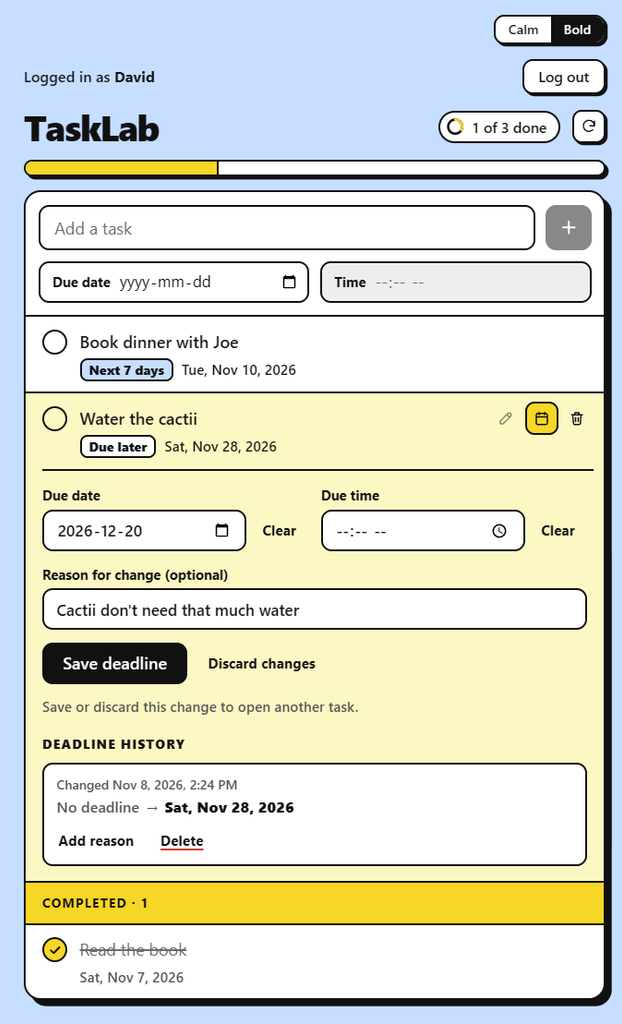
I think this is the type of feature that might find itself into a commercial software project’s release plan. Using my old methods, I’d probably estimate this as a 2-3 ECD feature (~20 hours of dedicated coding work, including tests and docs). This would likely take a coder a calendar week given other distractions (i.e., a work factor, w, of 0.5)
For this feature, I was going to use true agentic. A planning stage with an approval, then implementation, then another approval. I would use large workflows comprising many self-checking sub-agents all coordinated by a boss agent.
The results of a basically unattended Claude Code run against the feature, with my only feedback being “go” is captured by the video shown below.
I have a unit testing subclass of the Playwright xUnit tests that makes a recording of any unit tests placed into that sub-class. I mainly did this so the AI could review the UI/UX and suggest some improvements at a later date. And when I say “I” did it, I actually told Claude what I wanted and it did it. I particularly like its own choices of sample task names!
(Hit the Play Button Below – sorry for the whitespace!)
In my next post, I’ll get into the ins and outs of implementing this feature using Claude workflows.

Leave a Reply